

How to Spot Unreliable IPTV Offers: 8 Warning Signs Before You Buy
Teaser prices, fake reviews, no way to get in touch: here is how to recognise unreliable IPTV offers before you spend money – with a practical checklist.
Search for IPTV and you will find countless offers. Most websites look alike: big numbers, red discount banners, star ratings. But not every offer has a reliable service behind it. In this article we show you how to recognise unreliable IPTV offers before you pay – with eight warning signs, a checklist and practical tips. And yes, you can apply all of them to us as well.
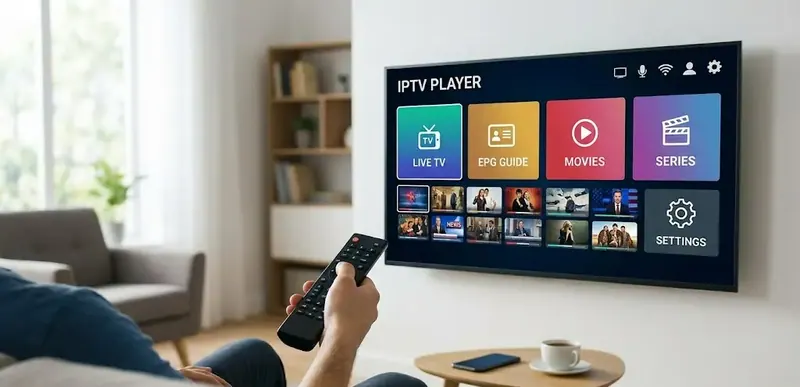
How to recognise unreliable IPTV offers
No real way to get in touch
Only an order form and no answers to questions? A reliable provider can be reached before you buy and answers specific questions about your device.
Unrealistic numbers
Hundreds of thousands of channels or “everything in 8K” sound impressive but say nothing about quality. Such numbers often simply cannot be checked.
Teaser prices without a total
A very low monthly price that only applies with a long commitment, or prices that only appear after several clicks – be careful.
Automatic renewal in the small print
Check whether a subscription renews quietly and how you can cancel.
Reviews that all sound the same
Dozens of five-star texts from the same week, with no details? That points to bought or invented reviews.
Claimed partnerships
Logos of big broadcasters, leagues or device makers on a website suggest a cooperation that usually does not exist.
Pressure to pay
“Today only”, countdown timers and being told to pay immediately without asking questions – reliable providers do not need that.
Unclear payment
If it is not clear who you are paying and what happens afterwards, be suspicious.
The checklist before you buy
- Ask a specific question about your device first – how fast and how clear is the answer?
- Look for the total price for the whole plan.
- Find out whether and how the plan renews.
- Ask which apps and login types are supported.
- Check whether there are guides for your device.
- If in doubt, start with a short plan.
What to do if something goes wrong
If you think you have fallen for an unreliable offer, keep evidence such as chat histories and payment receipts. Contact your bank or the payment service you used. Independent advice is available from consumer organisations such as the Verbraucherzentrale in Germany.
How we handle it
We know every website likes to call itself “reliable”. So instead we list what you can check with us: you can reach us on WhatsApp before buying, price and plan length are visible on IPTV prices, nothing renews automatically, and there are guides for every common device. We show no invented numbers, no fake reviews and no logos of broadcasters or leagues.
Why unreliable IPTV offers are so common
An IPTV website is quick to build. Templates, big numbers and a few stars can be put together in a few hours. What is missing behind it often only shows after you have paid: no support, constant outages, a login that suddenly stops working. That is why it is worth taking a few minutes before you buy.
The real-question test
Our most important tip: before you buy, ask a question only someone who knows the subject can answer. For example: “I have a 2019 LG TV with webOS 4.5 – which app do you recommend, and how do I enter my login?” A good answer is specific, mentions an app and explains the next step. A copied standard text or a payment link with no answer tells you everything you need to know.
Reading reviews properly
- Look for details: does the review mention a device, an app or a specific problem?
- Check the dates: were many reviews written on the same day?
- Look at the distribution: only five-star reviews is unusual.
- Read the critical voices: how does the provider respond?
Payment: what to watch out for
Before paying, clarify who exactly receives your money, what you get for it and how long it lasts. Ask whether anything renews automatically. Keep payment receipts and the chat history until the plan has ended. Our guide to the best IPTV providers includes a scoring sheet you can use for any offer.

Reliable does not mean perfect
Even with a reliable provider, there may be the occasional disruption – internet services are never available one hundred per cent of the time. The difference lies in how it is handled: is there open communication? Is there help? Is a problem solved, or are you ignored?
In short: green or red?
| Green flag | Red flag |
|---|---|
| A specific answer before you buy | Only a payment link, no answer |
| Total price and plan length visible | Teaser price with small print |
| No automatic renewal, or clear cancellation | Silent renewal |
| Guides for your device | Only generic marketing text |
| Realistic claims | Superlatives and fantasy figures |
Verdict
You can spot unreliable IPTV offers mainly by a lack of contact, unrealistic promises and pressure to pay. Take five minutes for the checklist before you buy – it saves money and frustration. And if you want to put us to the test, send us your question on WhatsApp.
More articles

Football Night with Friends: How to Prepare Your TV and Living Room
Friends invited, snacks ready – and then the picture freezes? With this preparation, your football night with friends runs smoothly on the technical side.

Using IPTV When Travelling: Holiday Homes, Hotels and Campervans
IPTV when travelling: how to take your TV with you to a holiday flat, a hotel or a campervan – with tips on devices, internet, hotel Wi-Fi and mobile data.
Renew Your IPTV Subscription: The Checklist So Nothing Stops
Is your IPTV plan about to end? With this checklist you renew your IPTV subscription in time, keep your settings and avoid a black screen.