
IPTV vs Cable TV: An Honest Comparison for 2026
IPTV vs cable TV – which is better for your home? We compare cost, flexibility, stability, picture quality, ease of use, devices and moving house.
IPTV vs cable TV is a question many households in Germany are asking right now – especially since cable connections are no longer automatically paid through the service charges. Both bring television into your living room, but in completely different ways, and both have real strengths. In this comparison we go through the seven differences that matter day to day and help you decide which option suits you.
The basic difference
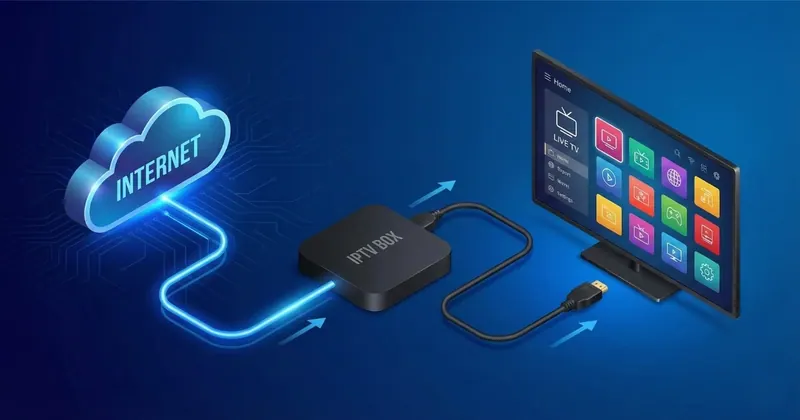
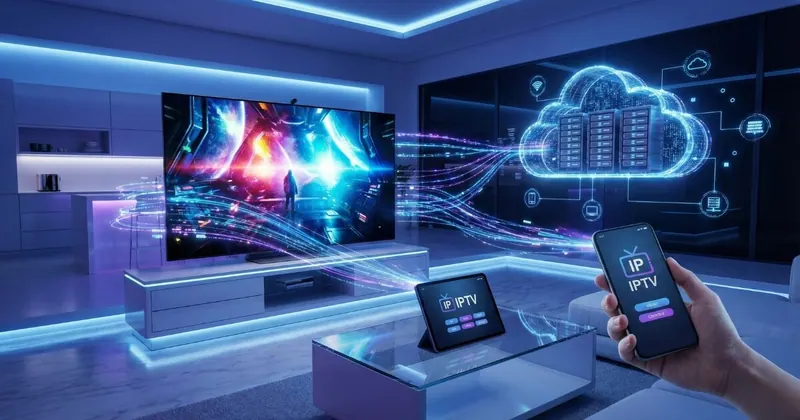
With cable TV, the signal comes through a coaxial cable from the socket in the wall. The network belongs to the cable operator, and you need a contract with them. With IPTV, television arrives over your internet line – DSL, cable internet, fibre or even 5G. A smart TV or streaming stick with a suitable app shows the picture. How that works in detail is explained in how does IPTV work.
IPTV vs cable TV: the seven differences
Cost
Cable TV is billed monthly, often with a minimum term, plus fees for HD channels or extra packages. With IPTV, the price depends on the provider – with us you pay once for 3 to 24 months, with no automatic renewal.
Flexibility
The cable signal stops at the socket in the wall. IPTV works wherever there is internet: in the bedroom, in a holiday flat or on a tablet in the garden.
Stability
Here cable clearly wins. Its signal does not depend on your internet line and keeps running even when someone next door is downloading large files. IPTV needs a stable connection.
Picture quality
Both deliver HD. 4K is still rare on cable but more common with IPTV – provided your line and device can handle it. See 4K IPTV.
Ease of use
Cable means remote, channel number, done. IPTV apps such as TiviMate come very close, but need a one-off setup.
Devices
For cable, the tuner built into your TV is enough. For IPTV you need an app on your smart TV or a stick in the HDMI port.
Moving house
A cable contract has to move with you, and the same operator is not always available at your new address. IPTV simply comes along – a real advantage if you expect to move within Germany or abroad.
The overview at a glance
| Criterion | Cable TV | IPTV |
|---|---|---|
| Signal | Coaxial cable from the socket | Internet line |
| Stability | Very high | Depends on your line |
| Flexibility | Only at the socket | Anywhere with internet |
| 4K | Rare | More common, where available |
| Setup | Hardly any | Once, about 10 minutes |
| Moving house | Contract must move | Just take it with you |
Who cable TV suits better
- Your internet is slow or unreliable.
- You do not want to set up any technology at all.
- Several TVs in the household often run at the same time.
Who IPTV suits better
- You have stable internet of at least 16 to 25 Mbit/s.
- You also watch on a tablet or phone.
- You move often or use a second home.
- You do not want a long contract.
What really makes the difference day to day
Specifications are one thing. In everyday life, other things decide whether you are happy with IPTV or cable TV. Three situations show it well.
Saturday night
With cable, you switch on and the programme runs – even if three phones are streaming videos at the same time. With IPTV, stability depends on your home network. With a LAN cable at the TV that is rarely a problem; with weak Wi-Fi it can be.
Moving
A cable contract does not move automatically. At your new address a different operator may be responsible, or there may be no socket at all. IPTV fits in your backpack: pack the stick, connect to the new Wi-Fi, done.
The second room
Cable needs a socket in every room. IPTV works wherever Wi-Fi reaches – including the guest room or the balcony with a tablet.
A closer look at cost
A fair IPTV vs cable TV cost comparison looks at twelve or twenty-four months. With cable, the base fee, HD options and extra packages add up, usually with a fixed term. With IPTV you pay for the plan and, if needed, a streaming stick. With us you pay once for the length you choose, and nothing renews by itself. The current plans are on IPTV prices.
The equipment you need for IPTV
- An internet connection with a stable 10 Mbit/s for HD and around 25 Mbit/s for 4K per stream.
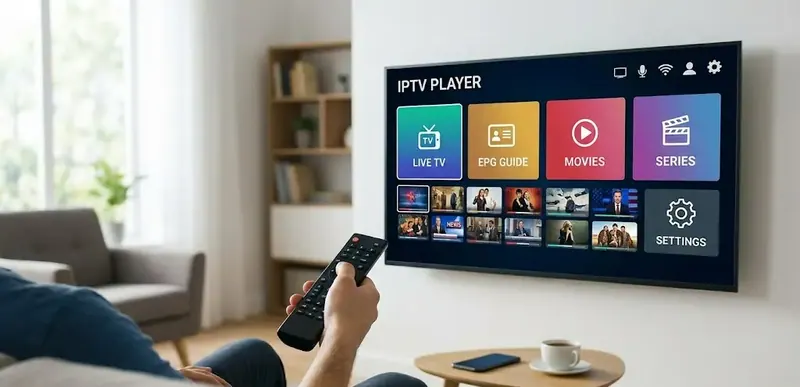
- A smart TV with a suitable app, or a streaming device such as a Fire TV Stick, Android TV box or Apple TV.
- An IPTV app such as IPTV Smarters Pro or TiviMate.
- Ideally a LAN cable or strong 5 GHz Wi-Fi at the TV.
Which combination suits your TV is shown in our guide to install IPTV.
Can you combine both?
Yes, and it is not unusual. Some households keep cable for the main TV and use IPTV in the bedroom or on the go; others do it the other way round. If you are unsure, a transition period is a good idea: try IPTV on a short plan and only then decide whether to cancel cable.
Frequently asked questions
Is IPTV worse than cable? Not in principle. With a stable line, picture quality is comparable, often with more 4K content. Cable is, however, more independent of your home network.
Do I need a new TV for IPTV? No. A stick in the HDMI port works with almost any TV.
What happens if my internet goes down? Then IPTV stops. Cable TV keeps running as long as the cable network works.
Our verdict on IPTV vs cable TV
There is no clear winner. If you want maximum stability with no technology at all, stay with cable. If you want flexibility and have good internet, IPTV is usually the better and cheaper choice. Test your line first, for example with Speedtest by Ookla. If the result is good, our guide to installing IPTV shows you the next steps.
More articles

Football Night with Friends: How to Prepare Your TV and Living Room
Friends invited, snacks ready – and then the picture freezes? With this preparation, your football night with friends runs smoothly on the technical side.
Using IPTV When Travelling: Holiday Homes, Hotels and Campervans
IPTV when travelling: how to take your TV with you to a holiday flat, a hotel or a campervan – with tips on devices, internet, hotel Wi-Fi and mobile data.
Renew Your IPTV Subscription: The Checklist So Nothing Stops
Is your IPTV plan about to end? With this checklist you renew your IPTV subscription in time, keep your settings and avoid a black screen.